.png?width=250&height=138&name=image%20(1).png)
Question/Request: Unable to update an appointment: "Cannot edit existing appointment to a Multi-doc appointment type"
Answer:
Step 1: Go to Settings >> Configuration >> Clinic >> Enc types screen.
Step 2: Select the enc type you are facing an issue with.
Step 3: Change the Associated With field to "Single Provider/Resource" instead of "Multi Provider/Resource". 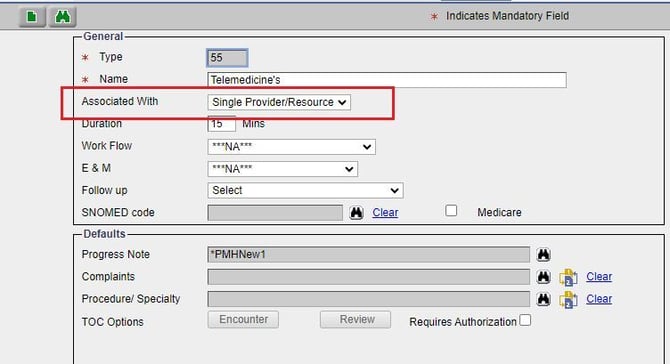 Step 4: Click on the Save button.