Question: How to resend multiple claims from the outstanding screen.
Answer:
Step 1: Go to Billing.
Step 2: Go to AR/Follow-up >> Outstanding.
Step 3: New window will pop up.
Step 4: Select claims to resend. 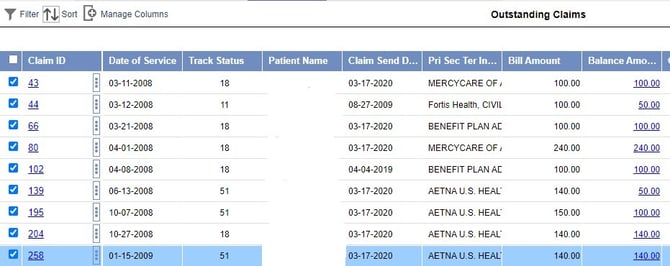
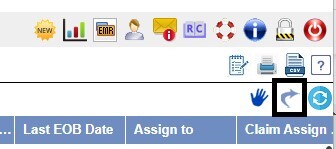
Step 5: Click on Resend Claim icon.
.png?width=250&height=138&name=image%20(1).png)
Question: How to resend multiple claims from the outstanding screen.
Answer:
Step 1: Go to Billing.
Step 2: Go to AR/Follow-up >> Outstanding.
Step 3: New window will pop up.
Step 4: Select claims to resend.
Step 5: Click on Resend Claim icon.