.png?width=250&height=138&name=image%20(1).png)
Question: How to remove Patient Statement option on the attorney portal
Answer:
Step 1: Settings >> Configuration
Step 2: Under Admin, click on Properties
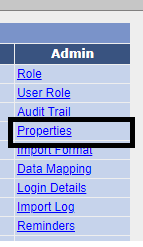
Step 3: Search and select property 'atp.tab01.options'

Step 4. Remove value 'STMT' Step 5. Save