.png?width=250&height=138&name=image%20(1).png)
Question: How to re-calculate the Fee Schedule charges on the claim?
Answer:
When a user makes changes in rates for CPT/HCPCS codes in the fee schedule and wants the created claim to reflect the new rates, they need to click on the Re-Calc option on the claim screen.
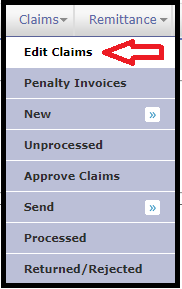
Step 1: On the Billing side, Claim on "Claims" Tab
Step 2: Click on "Edit Claims" option.
Step 3: Search and select the required claims
Step 4: Click on the "Re-Calc" icon on the claim screen

Note: As soon as you click on the Re-calc button, the system will pull the charges for the CPT/HCPCS codes as per the fee schedule.