.png?width=250&height=138&name=image%20(1).png)
Question: How to Exclude specific encounter type for Text Reminder?
Answer: Step 1: Go to Settings >> Configuration.
Step 2: Under Clinic, click on Enc Types. 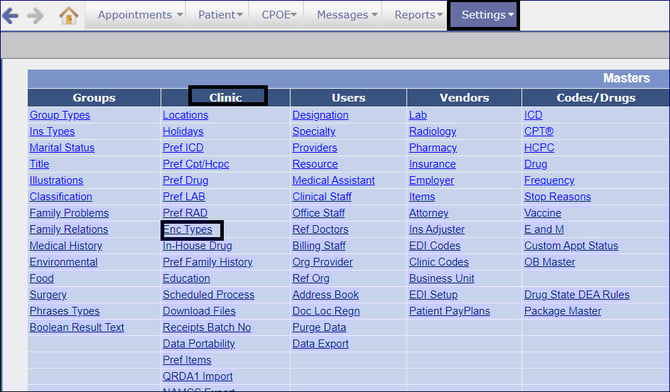 Step 3: Select the Encounter Type.
 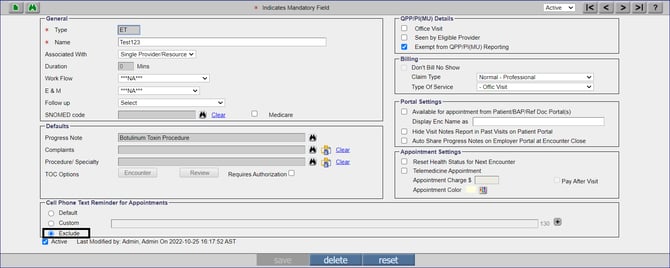 Step 4: Under the Cell Phone Text Reminder for Appointments section, select the Exclude radio button.