.png?width=250&height=138&name=image%20(1).png)
Question: How to Delete Scanned documents (Billing attachment)?
Answer:
Step 1: Scanned documents get stored under the patient’s document list.
Step 2: The patient’s document list can be accessed from the patient encounter - TOC menu name document list (Or from the patient - review tab).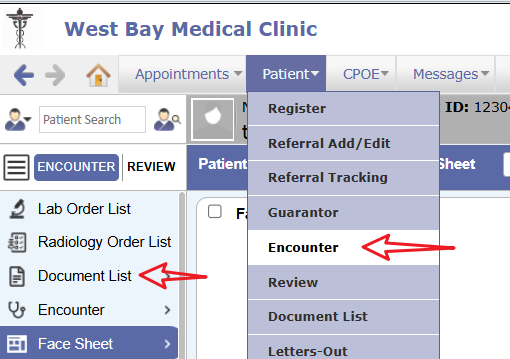
Step 3: Double-click on the Billing attachment from the document list to open.
Step 4: Once it opens on the bottom right side there is a delete button.
Note: The user who has delete rights will be able to delete.