.png?width=250&height=138&name=image%20(1).png)
Question: How to create Order Set for Consults order?
Answer:
Step 1: Go to Settings >> Configuration.
Step 2: Under Workflow, click on Order Set. 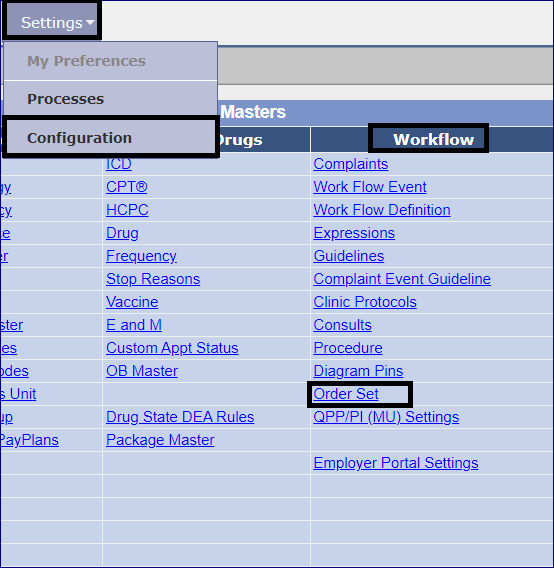
Step 3: Click on Add new button. 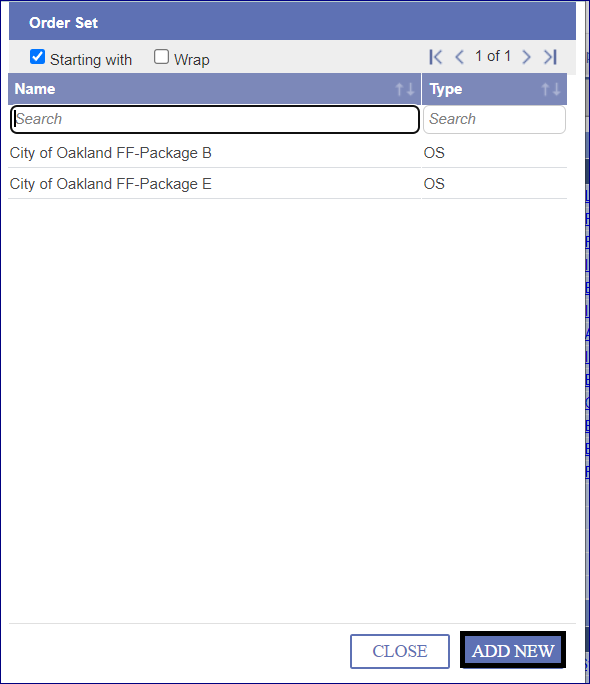
Step 4: From the Order Set Type drop-down, select the Consults option.
Step 5: In the Name field enter an appropriate name for the Order Set to be created.
Step 6: Click the [+] button to add the Consults test. 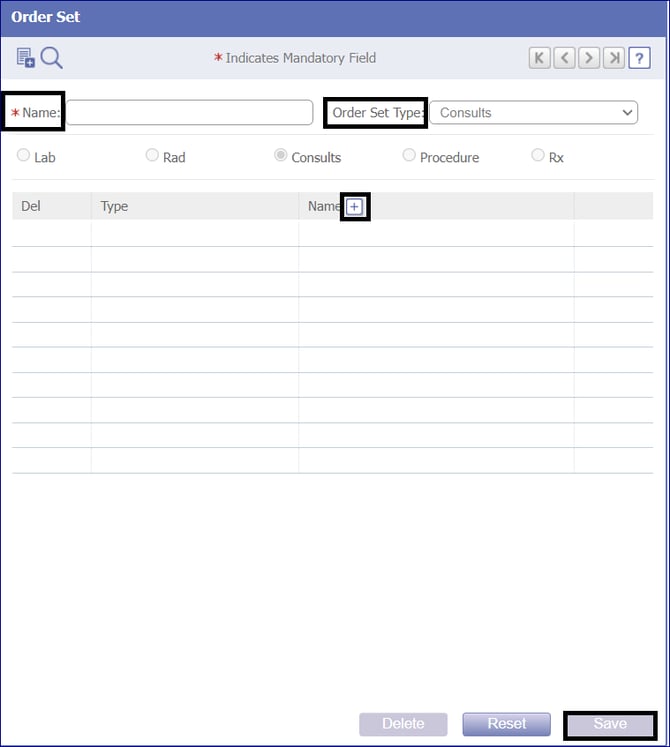 Step 7: Click on the Save button.
NOTE: The Order Set once saved appears in the list of Order Sets, available for the providers to assign the same to individual patients from the Encounter screen >> TOC >> Order Sheet and also from Encounter screen >> TOC >> Consult screen.