.png?width=250&height=138&name=image%20(1).png)
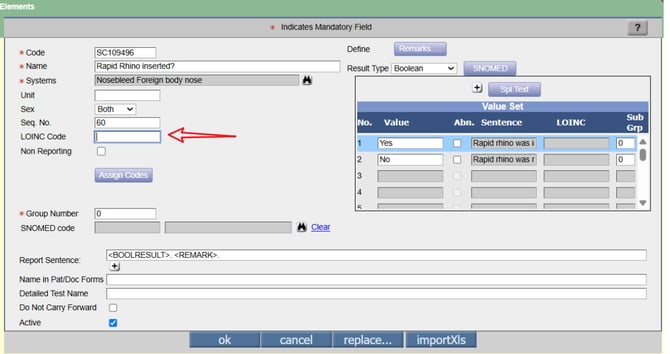
Question: How to add LOINC codes in specialty template's element from the Encounter screen?
Answer:
Step 1: Go to Patient > Encounter.
Step 2: Under TOC click on Specialty.
Step 3: Select a Specialty Template.
Step 4: Double click on Element as per requirement.
Step 5: Enter the LOINC Code.
Step 6: Click on "OK".