.png?width=250&height=138&name=image%20(1).png)
Question: How to add an HPI template and assign elements or tests to it?
Answer :
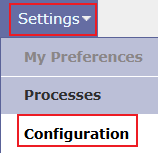
Step 1: Go to Settings >> Configuration.
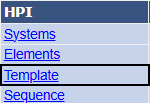
Step 2: Under Input Elements, Tests and Templates, click on "Template" under "HPI" column.
Step 3: Click on "ADD NEW".
Step 4: Mention name of the "HPI template" under "Template Name" field.
Step 5: Mention name of the "Report name " under "Report Name" field.
Step 6: Click the Plus button to select the system code where the elements or tests are assigned.
Step 7: Select the element name or test name to be assigned to the template.
Step 8: Set the sequence number for the elements as per your requirement.
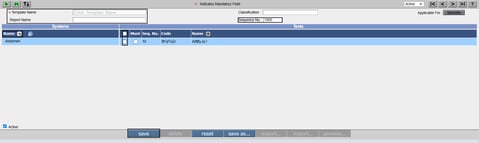
Step 9: Click on "Save" button.